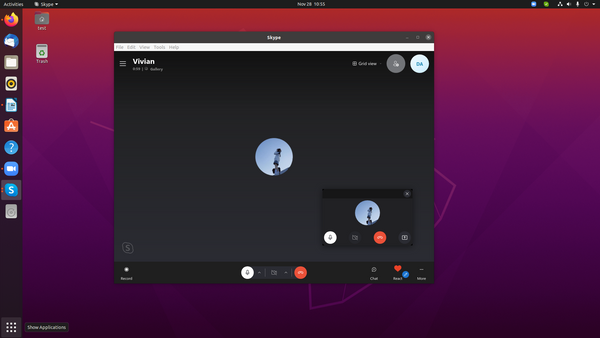
Digitallife ME1 | How to Install SKype on Ubuntu 20.04.3 LTS

Skype is one of the most popular communication applications in the world. It is cross-platform, available on Windows, Linux, and macOS. With Skype, you can make free online audio and video calls, and international calling to mobiles and landlines worldwide. Skype is not an open-source application, and it is not included in the standard Ubuntu repositories. Skype is available from the official Microsoft Apt repositories.
To install it, follow the steps below: Open your terminal and download the latest Skype .deb package using the following wget command:
wget https://go.skype.com/skypeforlinux-64.deb
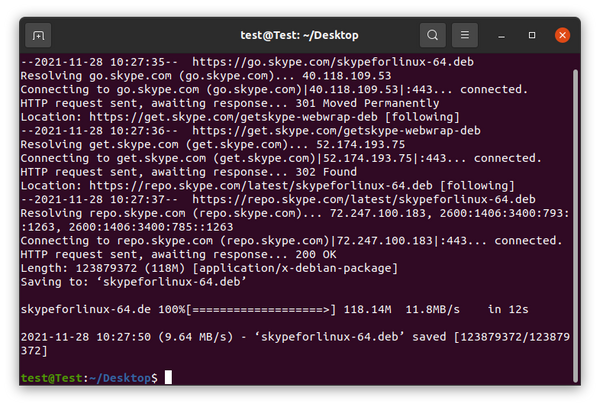
Once the download is complete, install Skype by running the following command as a user with sudo privileges :
sudo apt install ./skypeforlinux-64.deb
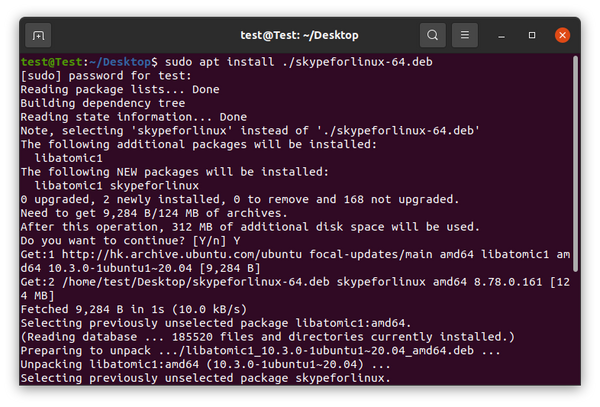
During the installation process, the official Skype repository will be added to your system. When a new version is released, you can update the Skype package through your desktop standard Software Update tool or by running the following commands in your terminal:
sudo apt update
sudo apt upgrade
From here, you can sign in to Skype with your Microsoft Account and start chatting and talking with your friends and family.